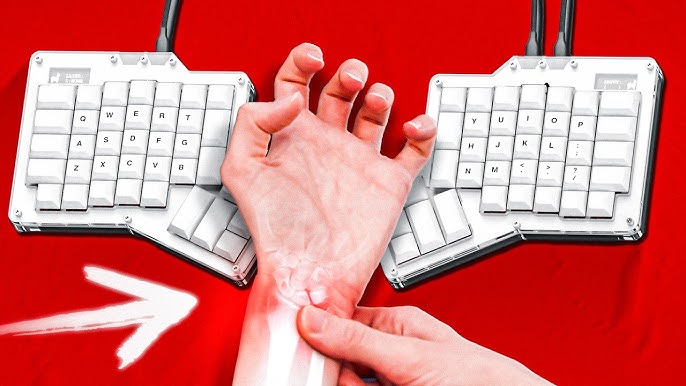
Forward neck posture—commonly seen in office workers, gamers, and students—can creep up over time, often going unnoticed until discomfort sets in.
What starts as a slight lean toward the screen becomes a chronic condition, affecting the cervical spine, upper back, and even breathing.
While posture correction often focuses on chairs or desks, the unsung hero in this conversation is the ergonomic keyboard.
As per bestforwardheadposturefix, “Designed to reduce strain from fingers to spine, these specialized tools can significantly improve head alignment”.
This article focuses solely on how ergonomic keyboards help prevent forward neck posture—and why they’re more than just a tech accessory.
Split Key Layouts and Natural Arm Alignment
One of the core split ergonomic keyboard benefits is that it encourages a more anatomically natural position for the arms and shoulders.
Unlike standard keyboards, which force your hands inward and elbows tight to the body, split keyboard designs allow each half of the keyboard to align with the natural angle of your forearms.
This eliminates the inward twisting that typically pulls your shoulders forward, which in turn contributes to a hunched, head-forward posture.
By spreading the keyboard apart and positioning it in line with your shoulder width, split designs reduce internal rotation of the humerus (upper arm bone).
This improves scapular positioning, giving your upper back muscles better leverage to hold the spine upright.
Research has shown that proper shoulder and elbow positioning can significantly offload the cervical spine.
Many users report a noticeable difference in posture even during long typing sessions.
Without the subconscious need to hunch inwards, your head stays more naturally stacked over your spine, reducing the tendency to jut the neck forward.
Negative Slope & Wrist Position
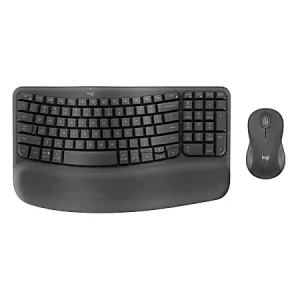
A negative slope keyboard posture is achieved when the keyboard tilts downward away from the user.
This subtle shift does more than just relax the wrists; it has a cascading effect on the entire upper body, including neck alignment.
Traditional keyboards cause wrist extension and neck pain. They are either flat or slightly inclined toward the user, forcing the wrists into extension.
This wrist extension creates tension in the forearm flexors, which connects up to the elbows and shoulders—muscles that, when overused, can indirectly influence forward head carriage.
With a negative slope, wrists rest in a more neutral, horizontal position. This takes pressure off the carpal tunnel and also prevents the shoulders from shrugging or rounding forward, which often happens when wrist discomfort sets in.
When your shoulders remain relaxed and in their natural position, your neck has less pressure to counterbalance poor alignment.
This positioning subtly reminds users to keep their heads upright, especially when paired with proper monitor height.
The ergonomic effect isn’t just about the hands—it is a holistic alignment from fingertips to cervical vertebrae, all influenced by this simple change in keyboard angle.
Contoured Design Reducing Shoulder Elevation
The contoured ergonomic keyboard design includes features like curved key wells and scooped key layouts that follow the natural arc of your fingers.
This contouring makes the act of typing more relaxed and intuitive, minimizing the effort required to reach keys—especially the outermost ones.
Why does this matter for neck posture?
Because when you eliminate strain from the fingers and wrists, you are indirectly reducing the upward pull on your shoulders and neck.
When key presses are smooth and require minimal effort, there is less unconscious elevation of the shoulders. Elevated shoulders are a prime contributor to neck tension and forward head tilt.
Additionally, many contoured keyboards are designed to match the natural supination of the forearms, meaning your palms face slightly inward—similar to how your hands rest when you are relaxed.
This palm orientation encourages your shoulders to rotate externally, keeping the chest open and spine upright.
Users often describe the experience as “typing in a relaxed bubble,” where their upper body feels less tense.
That feeling is not just comfort—it is biomechanical efficiency that translates into better neck posture throughout your typing session.
Tenting Angles Alleviating Muscle Tension
The tented ergonomic keyboard angle is another clever design innovation that plays a big role in posture control.
Tenting involves raising the center of the keyboard higher than the outer edges, creating a shape similar to a small rooftop.
This design gently rotates the user’s forearms outward, bringing the thumbs closer to the top and pinkies closer to the desk.
This may sound like a small change, but the benefits are substantial.
Forearm pronation (turning the palms down fully flat) has been linked with increased tension in the shoulder girdle.
Tenting counters this by reducing pronation, which eases load on the trapezius and upper cervical extensors.
Over time, reduced muscular tension in the shoulders and upper back decreases the tendency to lean or shift the head forward in compensation.
Essentially, tenting restores balance in the kinetic chain from your hands to your neck.
People who experience chronic “keyboard shoulder” or neck tightness often find relief simply by adjusting the tenting angle of their keyboard. It’s a passive way to train the body to adopt a more upright, less strained position.
Reduced Neck Extension from Eye-Level Typing
Many users are unaware that improper keyboard and monitor alignment contributes significantly to head position.
When your keyboard is too far away or not aligned with your natural arm length, you tend to lean forward to compensate.
Ergonomic keyboards counter this by allowing a more compact, efficient typing setup, reducing the need to crane your head downward or forward.
When used in combination with a properly placed monitor, this arrangement keeps your visual and physical engagement within an eye-level focal zone.
The head remains stacked over the cervical spine, and neck flexion or extension is minimized.
A great advantage here is that this setup makes it easier to type without shifting your entire upper body toward the screen.
By facilitating compact reach and better elbow position, the ergonomic keyboard helps anchor your posture.
This setup is key if you are trying to prevent tech neck—that chronic forward tilt of the head resulting from hours of downward gaze.
The keyboard does not just affect your hands—it repositions your entire workstation to encourage spine-friendly behavior.
FAQs on Split Keyboard for Neck Posture Correction
Here are the answers to the most commonly sought after questions on this topic:
Typing fatigue is not just about fingers—it extends all the way up to your shoulders and neck.
Keyboards with low force key activation ergonomic designs minimize the amount of pressure needed to register each keystroke.
When keystrokes require less effort, you are less likely to tense your upper limbs and upper back, which means your neck does not suffer from compensatory strain.
With traditional high-resistance keys, users often “punch” their keystrokes, especially during fast typing or gaming.
This motion reverberates through the wrist, elbow, and into the trapezius, creating a micro load that accumulates into larger postural issues. Low-force keys eliminate the need for overexertion.
What this means for neck posture is subtle but important: when your entire upper limb kinetic chain is relaxed, your cervical spine follows suit.
Less strain in the limbs means your head isn’t trying to balance or counterweight stressed muscles. This domino effect results in a more upright, tension-free neck position.
The reduced force needed to type also allows for longer sessions without the typical fatigue-induced slouch that draws the head forward by default.
Behavior Patterns: Encouraging Micro-Breaks
A lesser-discussed benefit of ergonomic tools is how they influence behavioral patterns. Typing on a well-designed ergonomic keyboard is often a more engaging sensory experience—it feels different from traditional boards.
So, it is advisable for you to learn how to choose an ergonomic keyboard.
That difference serves as a subtle cue to change posture more frequently, introducing opportunities for ergonomic keyboard micro-breaks.
These micro-breaks might include shifting in your seat, rolling your shoulders, or even just stretching your fingers and neck.
Studies in workplace ergonomics show that individuals using ergonomic devices are more likely to self-correct posture without being prompted.
Why does this matter?
Because sustained static posture is one of the leading contributors to FHP. Taking 30 seconds to realign every 20–30 minutes drastically reduces cumulative spinal load.
Micro-breaks restore oxygen to fatigued muscles and reset the musculoskeletal system, keeping the neck from sliding forward into harmful positions.
This adaptive behavior is one of the most underappreciated perks of ergonomic hardware.
You are not just given a tool—you are encouraged, almost instinctively, to use your body more consciously and with better mechanics.
Takeaway
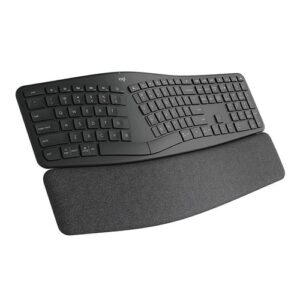
Ergonomic keyboards go far beyond hand comfort—they serve as powerful tools for upper body and cervical spine health.
Through split layouts, negative slopes, contoured key shapes, tented angles, low-force activation, and even behavior cues, these devices form a quiet but effective strategy against forward neck posture.
As daily low TV screen time continues to rise, more people suffer from the aches and limitations of tech neck.
Instead of relying solely on posture reminders or complex exercises, an ergonomic keyboard fixes tech neck by offering an immediate and long-term solution by retraining your body with every keystroke.
If your head is inching forward day by day, the fix might be right under your fingertips.
References: